Programming
|
Programming is giving a computer a set of instructions you want it to carry out.
There are three basic elements of programming: Sequencing, Selection & Iteration (loops). More on these, along with definitions and examples of other programming terms can be found here. Just like we can speak different languages, so can computers. Some of the more commonly known computer languages are Java, C, C++, PHP, VB (Visual Basic), Python, Javascript, C# (used by Microsoft), Perl, Ruby (Also Ruby on Rails), Objective C (used by ios apps), SQL, CSS or HTML (Used for website design), iOS/Swift (the new IOS language), Objective-C, R & Matlab. The popularity rankings can be seen here. In the classroom we often start with simple languages that will teach the skills that can be transferred to other languages later. Common languages used with students beginning to code are Scratch, Hopscotch and Tynker. These all use bubbles or blocks of code. See also the Creating page. You don't need a computer or robots to teach the basics of coding although it's not a good idea to spend too long without these if you want to hold student interest and complete authentic tasks. See the Coding Without a Computer page for ideas. Digital Technologies Hub For Programmable Robots & Drones see this page. |
Two very basic introductions to coding and programming languages.
|
Coding Sites
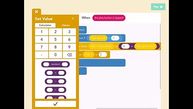
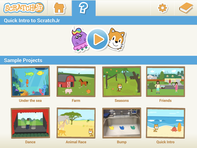
Scratch is a free, easy to use programming language. The Scratch Jnr app (ipad app or Chrome OS app) is a great place to start your programming journey. The Pyonkee app or the full Scratch website could be your next port of call. The latest version of Scratch (3.0) now also works in a browser on an ipad. For more info and supporting resources see the Scratch page.
Tynker's Hour of Code takes place in December but there are loads of free resources on their site all year round. The free Tynker app also has two free activities - Space Cadet for ages 5 - 7 and Dragon Spells for ages 8 - 11. Both allow you to switch between Tynker's block coding and the Swift programming language. For more advanced students there are paid options available.
Snap - Uses the same code blocks as Scratch 2.0. Has a different set of characters available. Snap Manual.
Code.org Hour of code activities designed to appeal to students with themes like Minecraft, Frozen and Star Wars. Uses code blocks. They also have tutorials available for beginners through to more experienced coders.
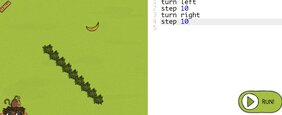
Code Monkey - Online coding site with tasks that increase in difficulty. Uses code similar to Logo. Teachers can track student progress but there is a cost for this feature.
Pencilcode.net is an online coding site similar to Scratch that uses blocks of code. It is a little easier than the online version of Scratch to use.
Robot Magic A New Zealand site that uses 3 levels of programming - graphics, blocks and Java. Has options for controlling various robots. Has a good variety of options. Individual version is currently free to use, class version is US$5 per student for 3 months.
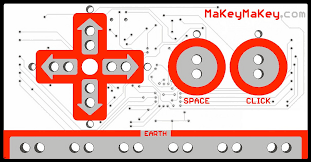
Makey Makey a kit that can turn everyday objects (anything that has a little conductivity) into a touchpad. You can also program your Makey Makey with something like Scratch, Tynker or Aduino.
This page has Makey Makey resources and examples. |
Learn to Code in Python, Java etc. For more advanced coding in languages like Python and JavaScript have a look at the Code Academy tutorials.
Code Avengers has lots of tutorials but after the 30 day trial it is $10 per student. Tynker now gives you the option to switch between block coding and Javascript or Python. The iPad app has an option to switch to the Swift language. It also has paid tutorials on various programming languages but these are not cheap. 15+ Ways of Teaching Every Student to Code (Even Without A Computer) Python Room is a free site with tutorials designed for teachers with no coding experience. Free Python Video tutorials Coding Rainbow - video tutorials - creativity with coding Code.WOF is a place where you can practice your Python skills. They are planning on adding other languages like Scratch at a later date. HTML/CSS HTML is the markup language which tells browsers about headings, lists, tables, etc. CSS is the stylesheet language that tells the browser to change the colour, font, layout etc. Check out this page for tutorials and resources.
Micro Controllers & Micro Computers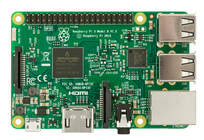
A micro computer has an interface that you can access by plugging it into a monitor so it operates as a tiny, cheap computer e.g. Raspberry Pi
A micro controller has no interface, you write a program on a computer and upload just the code to the board. It can store and run one program at a time, but can be reprogrammed many times. E.g. Arduino & Micro:bit. Arduino vs Micro:Bit vs Raspberry Pi These use open-source software but the hardware needs to be purchased. Micro:bit is very easy to use and probably a good place to start as it has an online simulator so you don't initially need the hardware to do some programming. 
|
More Coding Resources
 https://upload.wikimedia.org/
wikipedia/commons/
https://upload.wikimedia.org/
wikipedia/commons/
Coding for ages 4 - 6
15+ Ways of Teaching Every Student to Code - Something to suit all ages
Pixar in A Box - a collaboration between Pixar and the Khan Academy - teaches maths, science (including use of algorithms) and coding for Film Animation. Activities for all ages but most from around age 8 to adult.
Commonsense Media List of Coding Apps & Websites
Code Club - join an existing club in your area or start your own.
KidsNetSoftExplore - STEM - Coding - coding resources links
Potato Pirates - an unplugged coding game and resources. The site has a free resource which describes coding apps, sites etc. suitable for various ages and interests.
15+ Ways of Teaching Every Student to Code - Something to suit all ages
Pixar in A Box - a collaboration between Pixar and the Khan Academy - teaches maths, science (including use of algorithms) and coding for Film Animation. Activities for all ages but most from around age 8 to adult.
Commonsense Media List of Coding Apps & Websites
Code Club - join an existing club in your area or start your own.
KidsNetSoftExplore - STEM - Coding - coding resources links
Potato Pirates - an unplugged coding game and resources. The site has a free resource which describes coding apps, sites etc. suitable for various ages and interests.

2019
